Access

The Definitive Field Guide to Vibe Coding Using Gemini 3

By clicking submit, you agree to receive marketing emails, event reminders, and our flagship Ultrathink newsletter.
Thank you.
Oops! Something went wrong while submitting the form.

The Definitive Field Guide to Vibe Coding Using Gemini 3

Build prototypes the way Google does: talk ideas into working apps and use them to earn buy-in—using Google AI Studio.

Subscribe to the

ultrathink

Newsletter

By submitting this form, you agree to receive recurring marketing communications from Tenex at the email you provide. 
To opt out, click unsubscribe at the bottom of our emails.
Thank you.
Oops! Something went wrong while submitting the form.

The Human

Logan Kilpatrick is the public face of Google DeepMind, with hundreds of thousands of builders watching what he ships next. He’s the product lead for Google AI Studio and the Gemini API. 

Before Google, Logan led developer relations at OpenAI, worked on machine learning at Apple, and advised NASA on open-source policy. 

Now he’s at the cross-section of “holy sh*t this AI stuff is powerful” + “how do we make it usable for normal people?”

The Loop

This playbook mirrors how Logan and his team actually build new products inside Google. 

They don’t spend months in strategy purgatory. They don’t write 14-page PRDs. They take a screenshot of what exists, paste it into AI Studio, and build a prototype using Gemini 3, Veo 3.1, Nano Banana, Maps grounding, and whatever else makes the idea feel real.

If something needs a visualization, they drop in a dataset and tell AI Studio to build a dashboard. If something needs a new flow, they grab a webpage and ask Gemini to clone the user journey. If someone proposes an idea during a meeting, Logan builds it in real time.

Then and there, he says, “We make the product experience instead of trying to hypothesize what flow might be more intuitive. It used to be painful… now [coding this fast] just works.”

Use Cases

Vibe coding matters most when teams lack context and can’t afford to guess. It replaces hypotheticals with something people can click, react to, and align around.

It shows up in four places:

PMs translating vision to engineering: Instead of a PRD, PMs bring a working flow. Engineers debate tradeoffs against reality, not intent.

Sales teams building live demos mid-cycle: Rather than saying “we could build this,” they show it—tightening feedback loops with customers in real time.

Sales ops replacing static decks: Proposals become live, editable microsites instead of PDFs that go stale the moment they’re sent.

Non-technical operators shipping internal tools: Small workflows and dashboards get built without pulling engineering off higher-priority work.

Once people can react to something real, guessing stops. Decisions move faster. Bad ideas die early.

“The limitation is not the technology. It’s the boundaries of human creativity.”

01: Make this Click

Literally click this button—also, change your mindset.

Starting a deck from zero is like licking an iceberg hoping it turns into a sculpture. The blank page isn’t the enemy—inertia is.

Your fastest escape hatch is stupidly simple: prompt your daily driver to build out an outline. The point isn’t perfection. 

Open aistudio.google.com. Then, before you bring your idea to life, you need to switch two things at the same time:

  • How the page works
  • How your head works

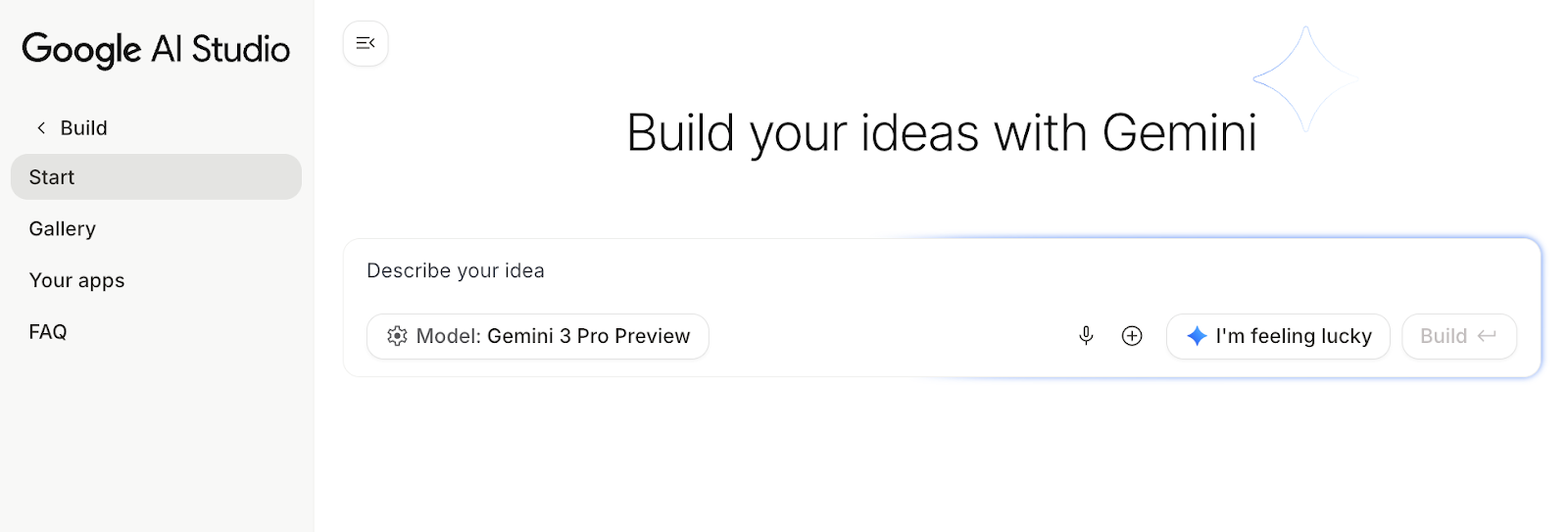
Most people land in AI Studio, see a chat box, and start typing like it’s ChatGPT. Wrong room. Instead, go to the top-left corner and click Build. In Chat mode, the studio will give you paragraphs, not products. Build mode breaks the page into two panes: prompting on the left, prototyping on the right. 

Now, begin.

The Idea

Ground your product in reality. For Logan, "reality" is usually a Google product he wants to tweak. For you, it’s anything that lives rent-free in your head. It could’ve been discussed by the watercooler or in a product kickoff. Other ideas include:

  • A workflow inside your org that annoys you
  • A dashboard you hate
  • A string of Figma frames that needs stitching
  • A competitor’s homepage
  • A user journey you want to reimagine
  • A product idea you’ve been sitting on

Whatever you choose, AI Studio gives you access to almost everything you need: Nano Banana Pro for images, Gemini 3 for text and voice, Google Search and Maps grounding, plus easy access to geolocation and camera permissions.

One example on the lighter end: a selfie-to-professional-headshot generator that accesses your computer’s camera (with your permission), takes a picture, and runs it through Nano Banana for restyling.

For full, cinematic Veo generation—say you’re building a site that produces polished video clips with the click of a button—you’ll need an API key and billing enabled. 

But the free tier still gets you surprisingly far through Veo previews and the rest of the Gemini toolset.

Once you describe your initial idea, click the Build button.

“We make a lot of the new features of AI Studio in AI Studio.”

02: Yap to App

Logan advises “yoloing” prompts (he’s a Harvard grad).

Now that your initial UI exists, start fleshing it out. There’s no need for galaxy-brain prompts or overthinking. Just let the feature requests and bug fixes as you move through the product you created

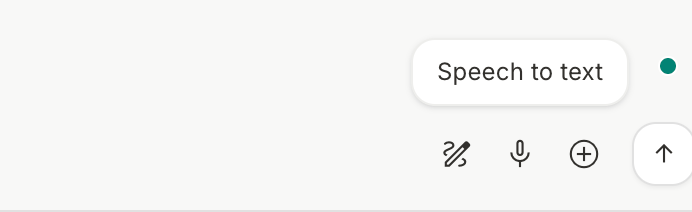
Logan literally talks features into existence. To do this, click the microphone icon in the bottom-left corner of the chat pane. With that talk-to-text enabled, wander through your app and say out loud what you want to happen next. If you notice friction, narrate the fix. If you see an opportunity, narrate the upgrade.

Then click Run.

The Vibe Coding Prompt Pack:

Screenshot-to-App Script:

Clone this [UI/screenshot/page]. Make it functional in the browser. Keep the [layout/structure], modernize the [styling/look], and add [number] useful features for a [PM/customer/operator] that align with the content of this page.

Copy
Brain-to-Prototype Script:

Create a tool for [idea you have in your head/someone says to you]. Make it functional in the browser [and also a mobile app]. Style it like this [your vision] and add [number] useful features for a [your ICP] based on what this page is about. I have a few ideas myself: [idea 1], [idea 2], [idea 3].

Copy
Spreadsheet-to-Dashboard Script:

Take this dataset: [paste data or link]. Build an [interactive/static] dashboard that shows [metric 1], [metric 2], and [metric 3]. Use [chart type 1], [chart type 2], and [chart type 3], and make it easy for a [PM/operator/stakeholder] to understand [the goal or question]. Add filters for [filter 1] and [filter 2], and propose three insights based on what you see.

Copy
Micro-Edit Script:

Inside each [card/row/section], add a [button/toggle] that performs [action 1], [action 2], and [action 3]. Update both the UI and the code to support the new behaviors.

Copy

03: Open the Garage

Sharing is caring. 

A prototype will never be perfect. That’s the point. 

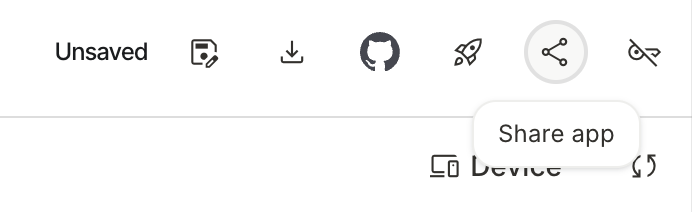
But to round your tool out: share the prototype link with your team or any experts you know, then let them add ideas.

The moment someone adds even a tiny piece to the prototype, they now have context, confidence, and skin in the game. That removes knowledge gaps, spreads buy-in, and makes the prototype something the team is building rather than something you’re lobbying for.

Who’s Invited?

For people who typically work on larger teams, these are your go tos:

  • PMs: add toggles, flags, logic
  • Designers: reskin flows, elevate the UI
  • Stakeholders: react to software, not hypotheticals

With them working on your product, now, suddenly:

  • PMs are defending the idea in meetings
  • Designers are proud of the flow
  • Stakeholders feel heard

And you’re not the lone “AI person” in the org. You’re the politician who campaigned for organization-wide velocity.

For founders and solo operators, it’s even simpler: the “garage” is optional. If you like what you built, you can ship it, iterate privately, or move to the next idea. 

It's never been a better time to be somebody who has agency and is excited to try new ideas.”

04: Prime the Cannons

Send it or stop it.

After a few rounds in AI Studio, you’ll hit a natural breakpoint. The idea is clear. The prototype works “well enough.” And the code is starting to pile up.

This is where most people make the wrong move.

There’s engineer handoff, designer cleanup, strategist data wiring, deciding what’s “MVP enough,” and a dozen small choices that separate a prototype from something ready for production. And there’s also a natural limit to how far you, the vibecoder, should push before looping in engineering.

Logan puts it simply: “The caveat is that the more robust your build becomes, the harder it can be for an engineer—who’s a human—to read and understand 50,000 lines of AI-generated code. So you want to think about how far you take it before handing this thing off.”

Depending on your role and org, pick your path:

  • If you’re handing it to engineering, sit with them. Walk through what the prototype does, not how it’s implemented. Decide together what should be rebuilt, reused, or thrown out. The value you’re delivering isn’t perfect code—it’s a validated flow, real UX, real copy, and proof that the idea works.
  • If you need a decision, get the right people in a room and make the prototype the agenda. No decks. No hypotheticals. One question on the table: do we want this in the business or not?
  • If you’re moving fast on your own—founder, small team, solo operator—put it in front of reality. Store the code in a repo, connect billing and Google Cloud, deploy it on Vercel, or ship it live. Let users, not meetings, tell you whether it’s worth hardening.

The Takeaway

The vibecoders' advantage is brutally simple: you can validate ideas faster than your org can schedule a 1:1. All you need is 10 minutes, a screenshot, a half-baked idea, and the willingness to treat the model like a junior engineer.

Every prototype you generate collapses a sprint of meetings into a single artifact people can react to. You cut down decision cycles, reduce engineering waste, and surface bad ideas before they burn time or budget. 

A rough build can save teams hours of back-and-forth, because you’re validating direction, not debating hypotheticals. The net effect is faster time-to-market and fewer dead ends.

Tenex Your Product Velocity

If this playbook sparked ideas, imagine what you could build with us behind you.

From free diagnostics, to focused AI engineering teams and company-wide transformation, we help you turn ideas into shipped work—fast, clearly, and with real business impact.

Let's solve your biggest bottlenecks—together. Get started here.
Built by builders, trusted by leaders

Stay on the right side 
of history.

Get Started